Active Web Clients
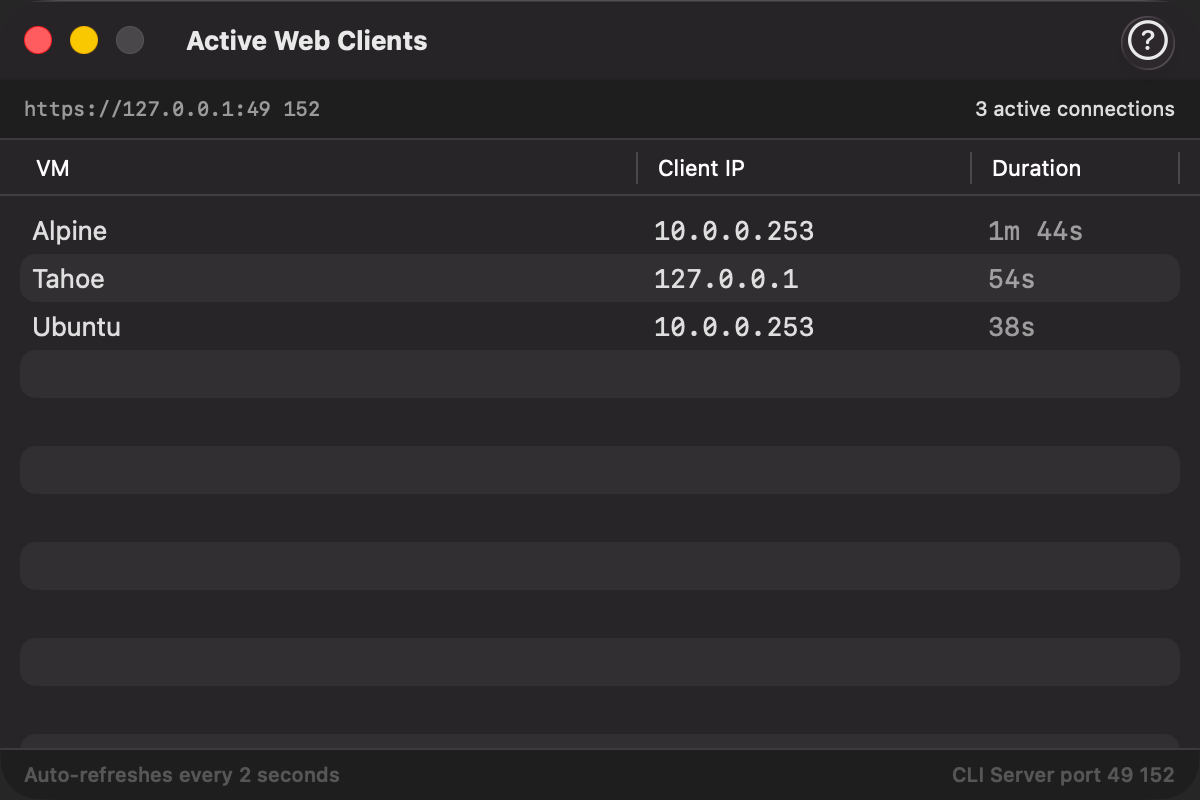
Active Web Clients shows a live list of browser sessions currently connected to your VirtualProg HTTP server via Remote Control. It lets you see at a glance who is accessing your virtual machines from the web.
Open it from Tools → Active Web Clients… (available when the CLI Server is enabled in Settings).
What Is Shown
Each row represents one active browser session viewing a VM's Remote Control screen.
| Column | Description |
|---|---|
| VM | The name of the virtual machine being accessed |
| Client IP | The IP address of the connecting browser. If you use a reverse proxy, this will show the proxy's IP. |
| Duration | How long this session has been connected |
The header bar shows the server address and total number of active connections. The window auto-refreshes every 2 seconds.
Empty State
When no browser is connected, the window displays a "No active web clients" message. Sessions appear automatically as soon as a browser opens Remote Control for any running VM.
Requirements
- CLI Server must be enabled in Settings → CLI.
- Sessions are tracked from the moment a browser establishes a WebSocket connection for Remote Control. Connections over the standard web dashboard (without opening Remote Control) are not counted.
Tip: Use this window to verify whether a remote session is still active before shutting down a VM, or to detect unexpected access to your VMs.